How are my email signatures handled?
Last updated: March 10, 2026
You can set up and customize your email signature directly through the Drumkit portal at app.drumkit.ai.
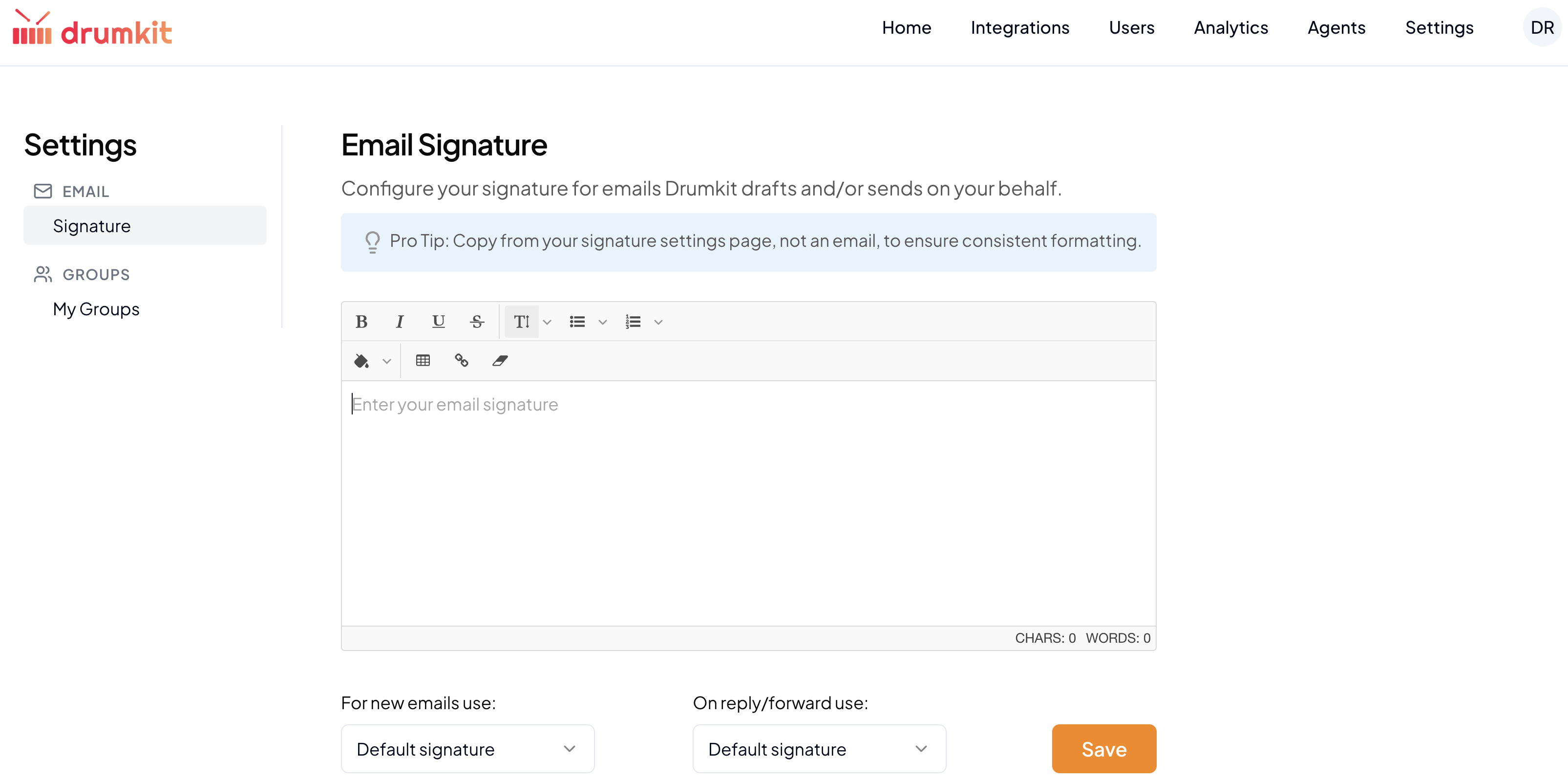
Here's how to configure your signature:
Log In: Sign in to the Drumkit portal at app.drumkit.ai.
Go to Settings: Click "Settings" in the top header navigation.
Navigate to Signature: Select "Email" from the left-hand navigation, then click "Signature" beneath it.
Customize Your Signature: Use the email signature canvas to design your signature — including any images you'd like to include.
Set Your Preferences: Below the canvas, choose whether you'd like your default signature to appear on new emails, replies, and forwarded emails — or toggle it off entirely for either option.
If you run into any issues setting up your signature, reach out to us at support@drumkit.ai and our team will get back to you.