What if a facility doesn't use an online scheduling portal?
Last updated: March 10, 2026
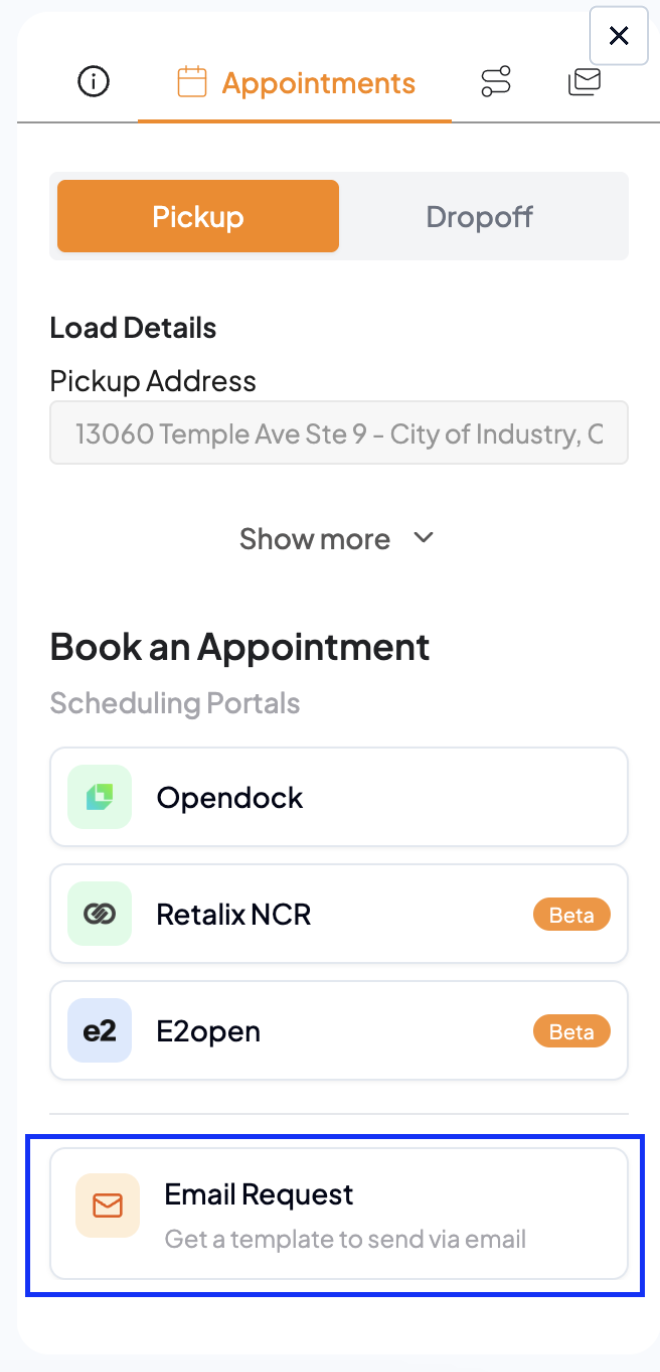
No problem. If no scheduling portal is available for a facility, you can still book an appointment directly through email — all without leaving your Drumkit smart sidebar. Scheduler will automatically draft a scheduling email with all relevant load details pre-filled, ready for your review and send.
Here's how:
Select Email Request: Click the "Email Request" option within the Appointments tab to initiate the email booking method.
Review the Draft: Scheduler pre-fills all relevant load details automatically — no need to start from scratch.
Send: Make any necessary adjustments and send the email directly from your sidebar.
Details pre-filled in the email draft include:
Shipper Name
Load Number
Pickup & Delivery Window
Commodity
And more
If you run into any issues, reach out to us at support@drumkit.ai and our team will get back to you.