Ask Kit to check a thread for quotes or loads
Last updated: October 30, 2026
If Kit missed a quote request or a load in an email thread, click Check for Quotes or Check for Loads under Kit's message. Kit reads back through the thread, adds anything new it finds to its list, and tells you when it's done.
When to use it
Kit missed a request. Kit says No suggestions found., or it found one lane and the customer asked for three.
The request came in further down a long thread. A customer added lanes in a reply, or sent a tender in the same thread as an older quote.
The request is in an older thread that Drumkit already received, and you want Kit to take another look.
From: John Smith
Subject: RE: Rate Quote Request - Chicago IL to Dallas TX
Two more for the same week if you have trucks: Memphis, TN to Atlanta, GA and Columbus, OH to Nashville, TN. Both 53' dry van, same commodity.
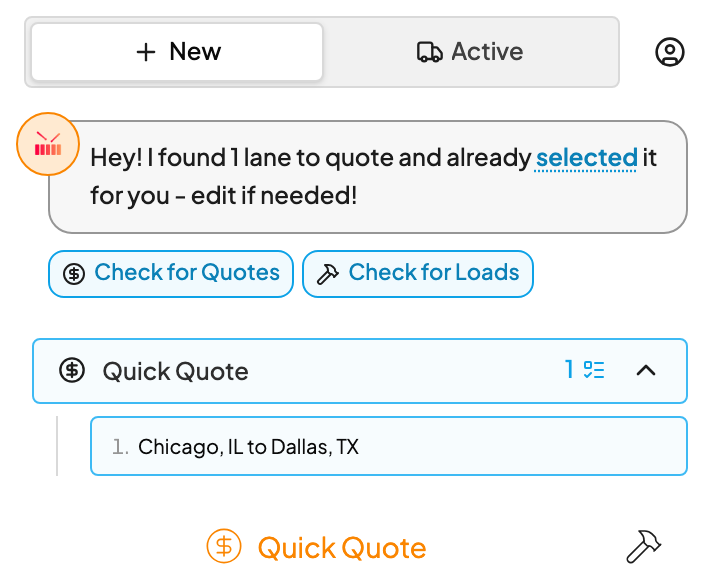
1. Click Check for Quotes or Check for Loads
Open the thread and the Drumkit sidebar, in the New view. Under Kit's message, click Check for Quotes to look for quote requests, or Check for Loads to look for loads to build.
2. Let Kit read the thread
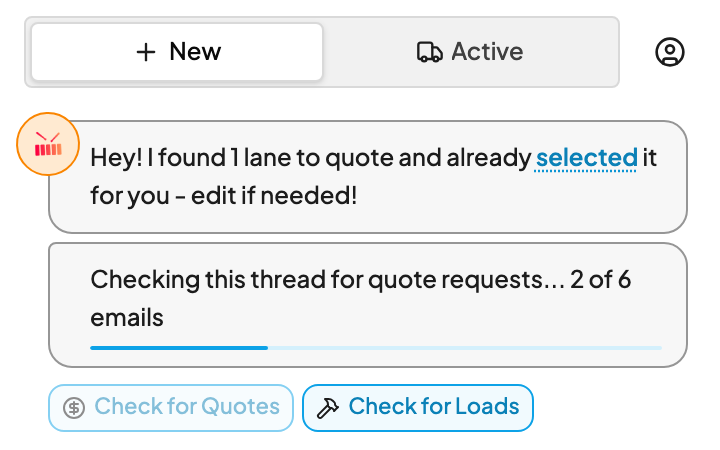
Kit counts through the thread's emails, for example Checking this thread for quote requests... 2 of 6 emails. The button you clicked is greyed out until Kit finishes.
3. Work the new suggestions
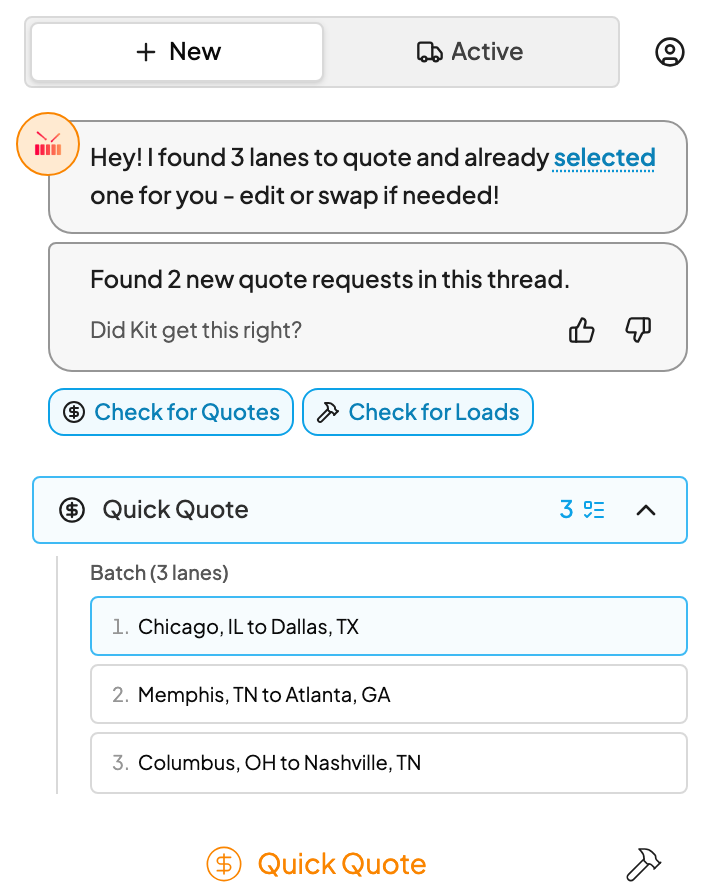
When Kit finds something, it says so, for example Found 2 new quote requests in this thread. The new lanes or loads are added to Kit's list. Click one to fill in the form, then quote or build it as usual.
You can keep working while Kit checks. Open another email if you need to. The check carries on, and when you come back to the thread Kit shows where it is or what it found.
When you ask Kit to check for quotes, it's less strict than usual and may suggest a lane even when the email leaves some details out. Look over the dates, equipment and stops on new suggestions before you quote or build.
What you'll see
Kit says | What it means |
|---|---|
Found 2 new quote requests in this thread. (or Found 1 new load to build in this thread.) | Kit found requests it hadn't listed before. They're now in Kit's list. |
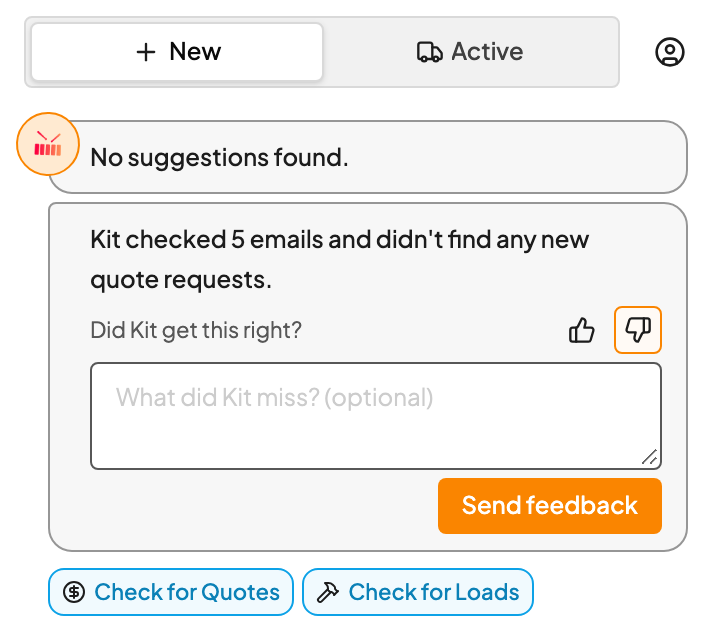
Kit checked 5 emails and didn't find any new quote requests. (or ...any new loads to build.) | Kit read the thread again and found nothing new. Anything it already listed stays as it was. |
Kit couldn't finish checking this thread. | Something went wrong partway. Click Retry to run the check again. |
Tell Kit how it did
After each check, Kit asks Did Kit get this right? Click the thumbs up or thumbs down. You can add a short note, for example which lane Kit missed (the box says What did Kit miss? (optional)), then click Send feedback. Drumkit uses these notes to improve what Kit catches.
FAQs
Will it create duplicates of what Kit already found?
No. Kit skips emails it already found a request in, and a lane that matches one already on the thread is merged into it, the same way a follow-up email is. Running the check a second time won't add the same request again.
How long does it take?
Usually a few minutes at most. Kit reads up to the 10 most recent emails in the thread, one at a time, and long attachments take longer. The count in Kit's message shows how far it's got.
Can I open another email while it runs?
Yes. The check keeps running on Drumkit's side. When you come back to the thread, Kit shows its progress or the result. A result stays on the thread for 30 minutes, then the buttons are ready for a fresh check.
Does it read attachments?
Yes, the same ones Kit reads when an email first arrives: PDFs, Word, Excel and CSV files. It doesn't read photos or screenshots. See What Drumkit reads.
Why don't I see Check for Loads?
Check for Loads only shows if your team builds loads with Drumkit, and Check for Quotes only if you have Quick Quote. If you need one you don't see, ask your Drumkit admin.
Can Kit check an email from before I signed up?
No. Kit re-reads emails Drumkit already received. For an email from before you signed up, or from a time your inbox was disconnected, forward it to yourself and Kit reads it as a new email.
Does it send anything to my customer or my TMS?
No. It only adds suggestions to Kit's list. Nothing is quoted or built until you do it.
Related