Batches across an email thread
Last updated: November 24, 2026
Customers rarely send everything in one email. They add loads in a reply, move a pickup a day, or send the rest of the week on Thursday. Drumkit keeps one batch per customer in a conversation, so you see every load still to build in the thread, newest email first, and build them together. This is part of Batch Load Build, which is in beta and turned on per team.
Here's the kind of reply we mean
From: Dana Price, Lakeshore Paper Co.
Subject: RE: Project 106031 - 20 loads Green Bay to Joliet, week of 6/15
Hi team,
Three more for the same lane, please: PO 4501-2221, 4501-2222 and 4501-2223, picking up Mon 6/22.
Also, PO 4501-2205 and 4501-2206 now pick up Wed 6/17.
Thanks,
Dana
1. See the thread's loads by email
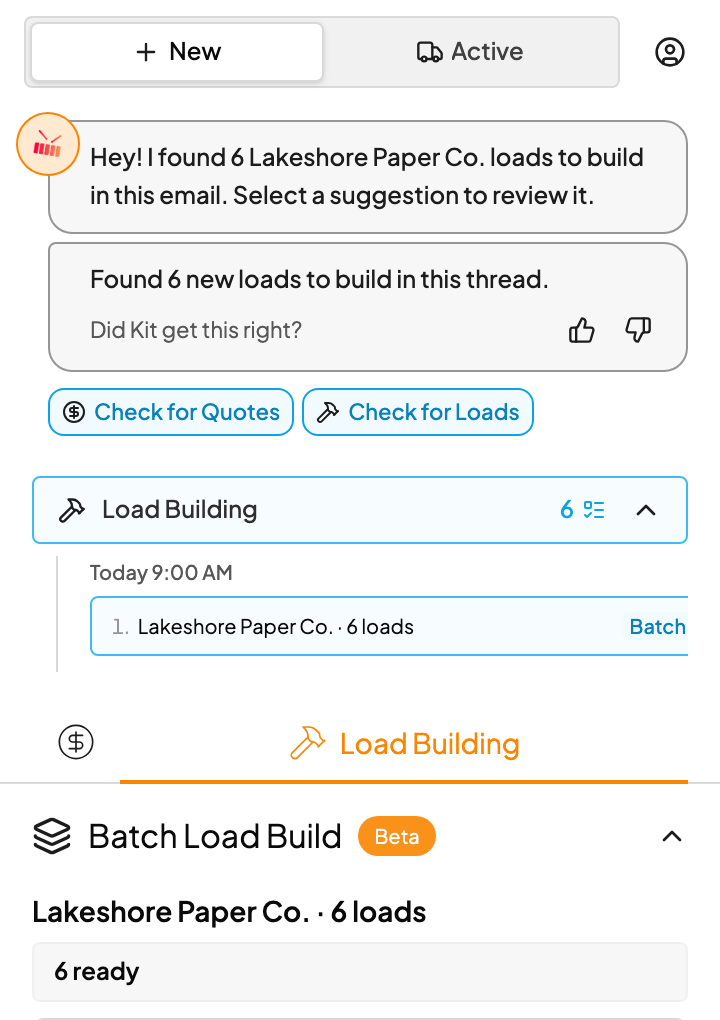
Open any email in the thread. Kit lists the loads still to build under Load Building, one item per email, newest email first, for example "Lakeshore Paper Co. · 3 loads" for the reply and "Lakeshore Paper Co. · 20 loads" for the first email. Kit's greeting says how many it found in the thread.
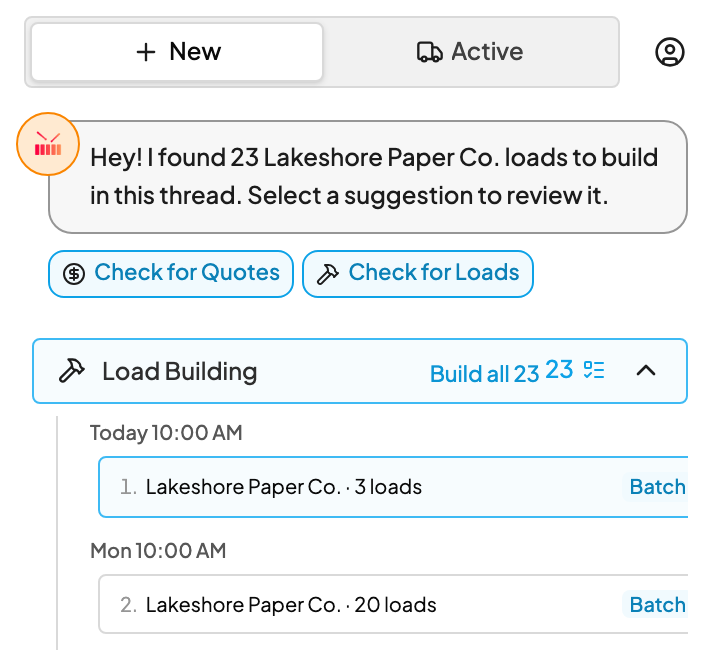
The batch opens on the newest email's loads, so a reply's new loads are what you see first.
2. Add an older email's loads
To build an earlier email's loads in the same batch, click that email's item in Kit's list, or hover over the list and check its box. Its loads join the batch, and the build button counts them all, for example Build 23. Click or uncheck it again to take them out.
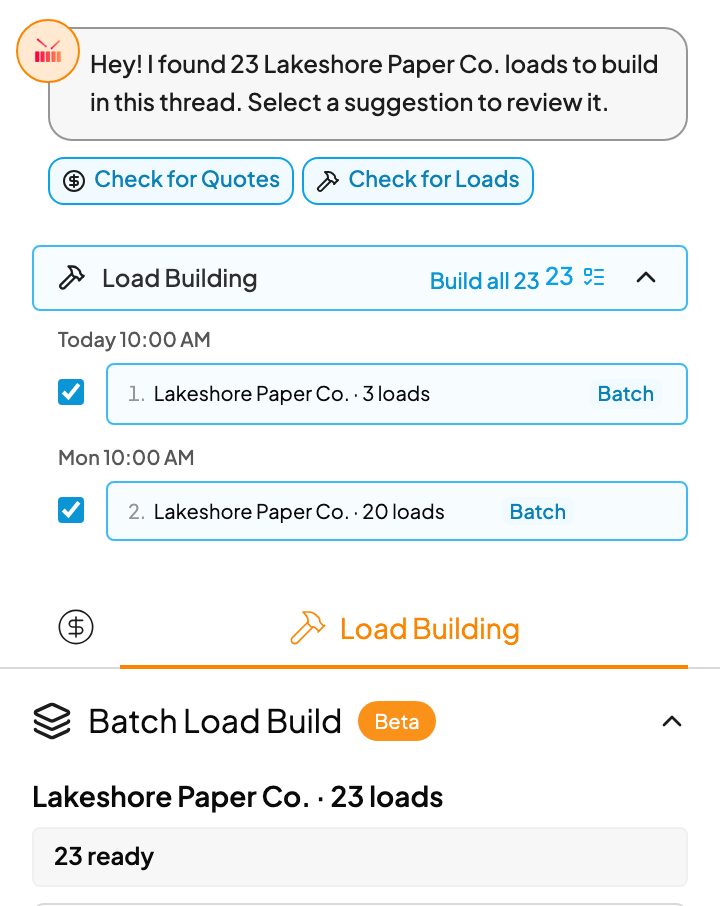
To build every load still to build in the thread in one go, click Build all at the top of Kit's list, for example Build all 23. It starts right away, after the same production TMS check, and builds up to 50 loads per click. A load you have open in the full form is left out, and a notice tells you so.
3. Changes in a reply update the load
When a reply changes a load that isn't built yet, like a new pickup day for a PO, Kit updates that load and it reads the new value. While the older email still has loads to build, its item in Kit can note the change, for example "1 load updated in a newer email". If you'd edited that same field, the reply's value replaces your edit.
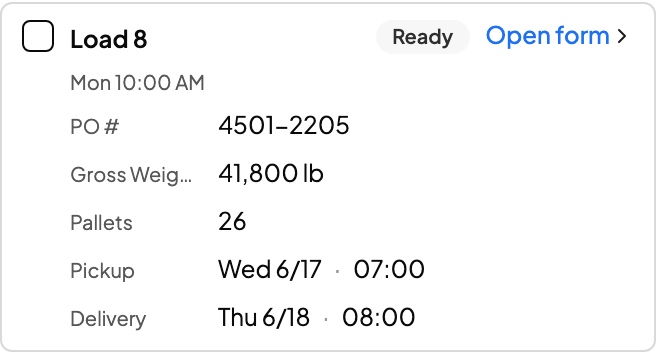
A reply that changes every load at once ("all of these now pick up at 8") doesn't update the batch's loads. Make that change yourself under Same for all loads. A reply never changes a load that's already built; update it in your TMS.
4. Pending and Handled
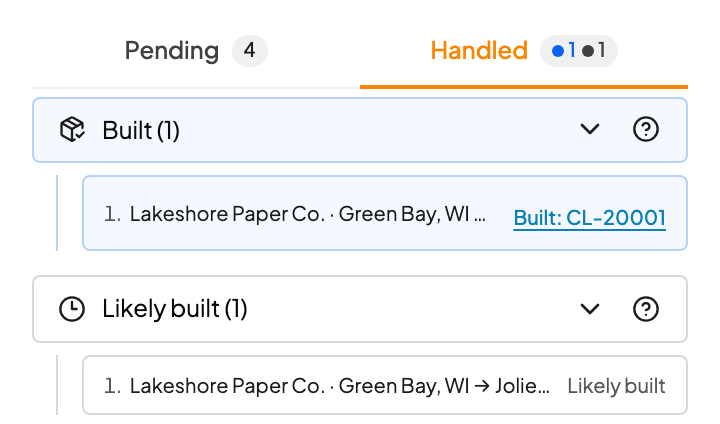
Above Kit's list, Pending holds the loads still to build and Handled holds the ones that are done. If the thread also has quote requests, both tabs hold quotes and loads.
Built in Drumkit: built from Drumkit, by Build all, a card or the full form. Click the load ID to open it.
Found in TMS: Build all found the load's PO already in your TMS, so it created nothing.
Likely built: not built in Drumkit, and its email is more than 7 days old, so it was probably built outside Drumkit or isn't needed. Drumkit leaves it out of the batch and Build all.
Kit didn't show a batch
If a thread has loads to build but Kit shows none, and your team has Check for Loads under Kit's greeting, click it. Kit reads the thread again and shows the batch if it finds one.
FAQs
Do replies from different teammates' mailboxes count?
Yes. The batch covers the whole conversation, across your team's copies of it. You see the loads from emails you can open in Drumkit, and a batch shows once you can open at least two of its loads.
The customer sent each load in its own email. Are those a batch?
One-load emails from the same customer in a thread join that customer's batch, as long as each comes within a week of the batch's newest email. A single one-load email on its own stays a regular card.
Why do I see two batches in one thread?
A batch is one customer's loads. A thread with loads for two customers has a batch for each, and a reply more than a week after a batch's newest email starts a new batch. Kit's Build all at the top of the list only shows when there's one batch across several emails; otherwise build each batch from its own button.
A load shows as Likely built but it isn't in my TMS.
Likely built only means its email is more than a week old. Build that load in your TMS directly.
Related